
All-In-One Automated Webinar Software ...
Built By Internet Marketers
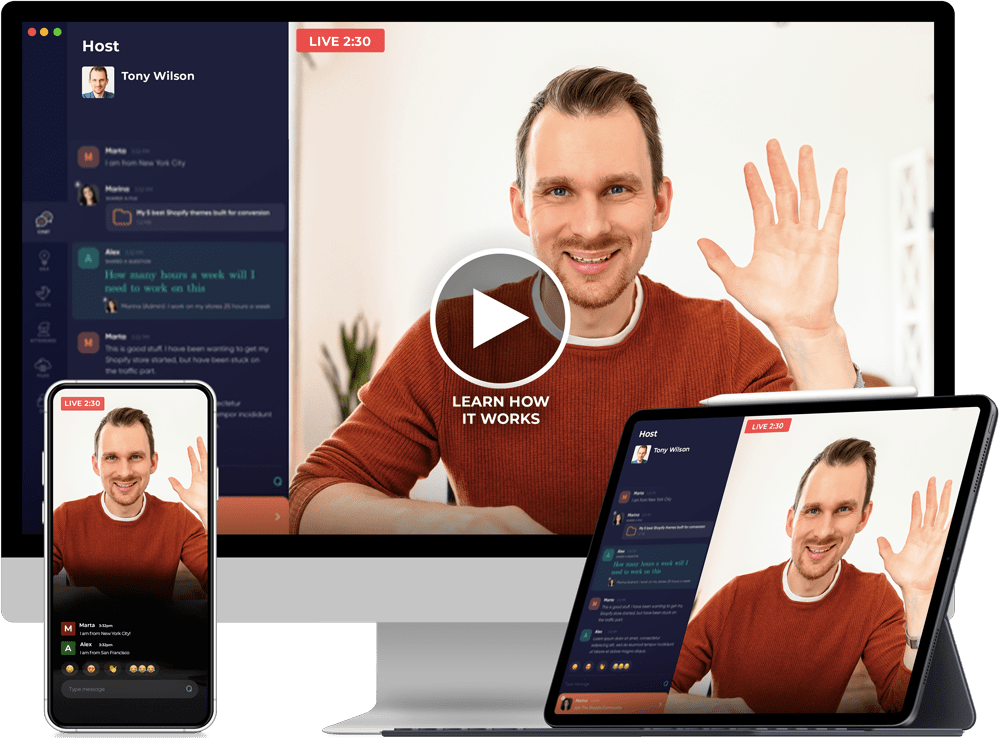
FINALLY! An Automated webinar platform made by internet marketers that doesn't just "play a video" on a webpage. Experience the benefits of your events "feeling" like real live webinars on the web or mobile.
0
Webinar Fuel Users
0
Webinars
0
Webinar Registrants
0
Webinar Sales
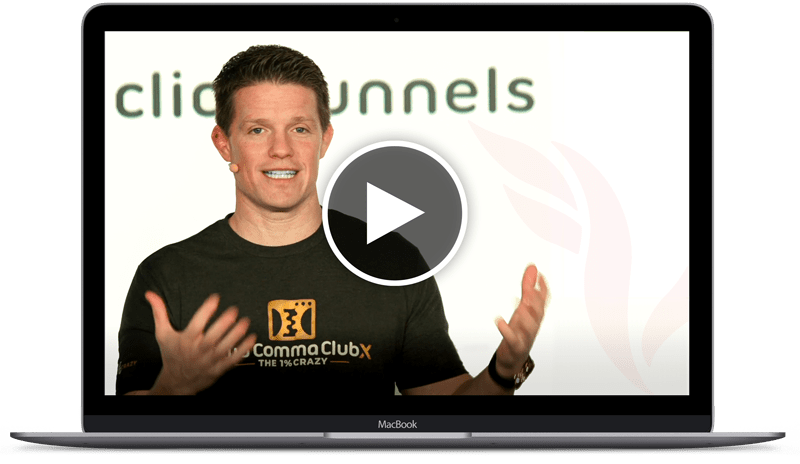
Russell Brunson
'The King Of Webinars'
⭐⭐⭐⭐⭐
" Finally an automated webinar platform that doesn't just "play a video" on a webpage. Experience the benefits of your events "feeling" like real live webinars. Our playback environment was designed specifically for user experience and higher conversion rates."
3 Super Easy Steps To Get Started
STEP 1
Record Once
Record it once with no audience and pressure
STEP 2
Automate
Let it run 24/7, completely on auto-pilot

STEP 3
Scale It
Optimize and scale without touching it

17 EXCLUSIVE REASONS WHY
You NEED Webinar Fuel

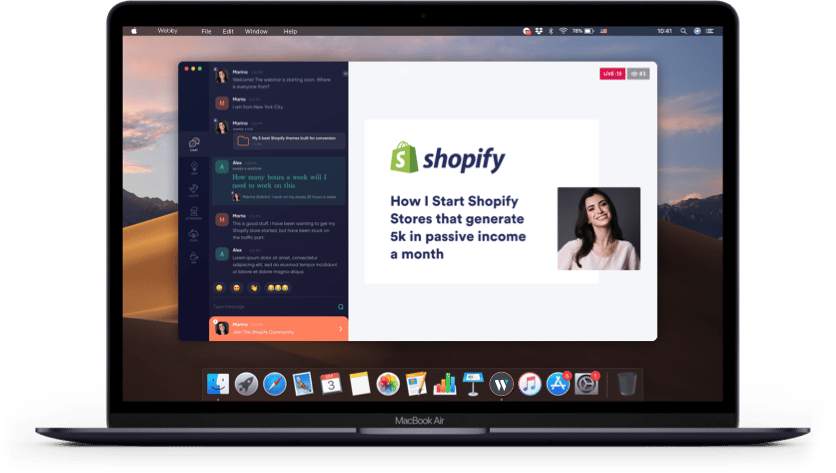
#1: Real Webinar Software
Finally an automated webinar platform that doesn't just "play a video" on a webpage. Experience the benefits of your events "feeling" like real live webinars. Our playback environment was designed specifically for user experience and higher conversion rates.
- Make your webinar feel more alive and Increase overall conversions and profit

#2: Split Test Play In App Vs. Play In Browser
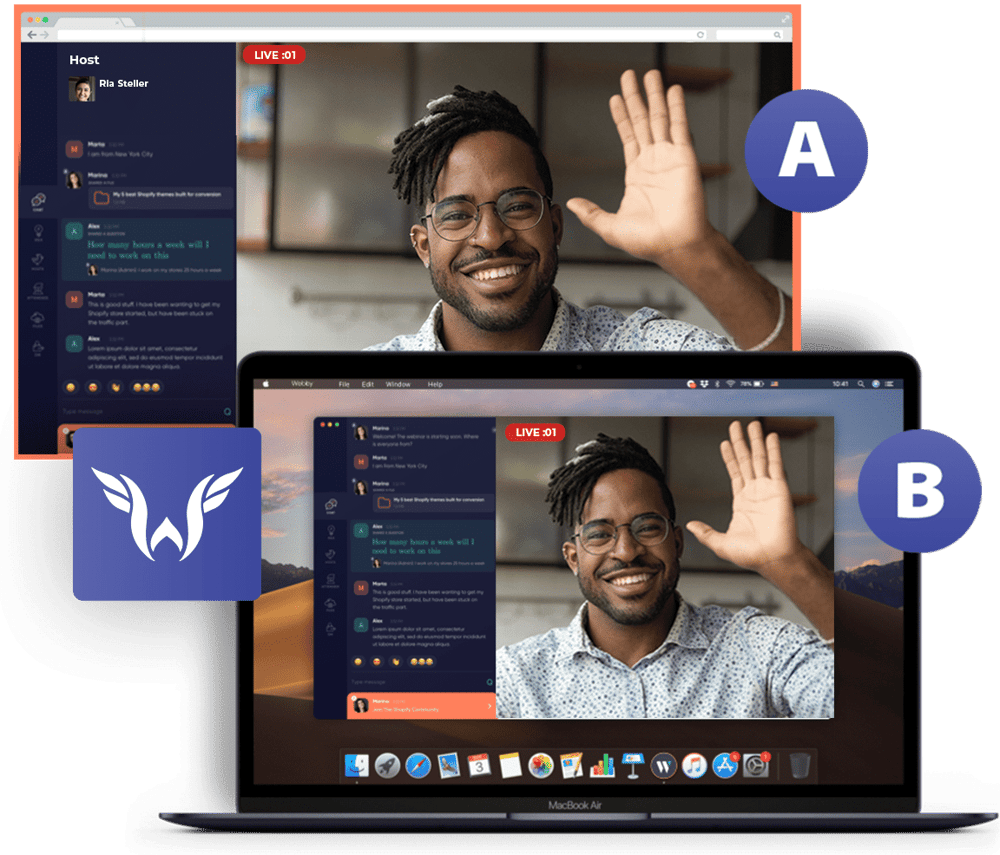
We highly recommend delivering your webinar through our custom app built specifically to drive the highest conversions, but you can also deliver your webinar directly through the browser so the user doesn't have to download the app to watch your webinar. What's even more powerful is that you can even split test it, run through the app only on the initial registration but use the browser version on the replay, and even different options for desktop versus mobile. You're in complete control.
- You're in complete control of the playback experience you choose!
- Split test browser playback versus app playback to get REAL data behind which converts better for your webinar!
#3: Dynamic Registration Widgets
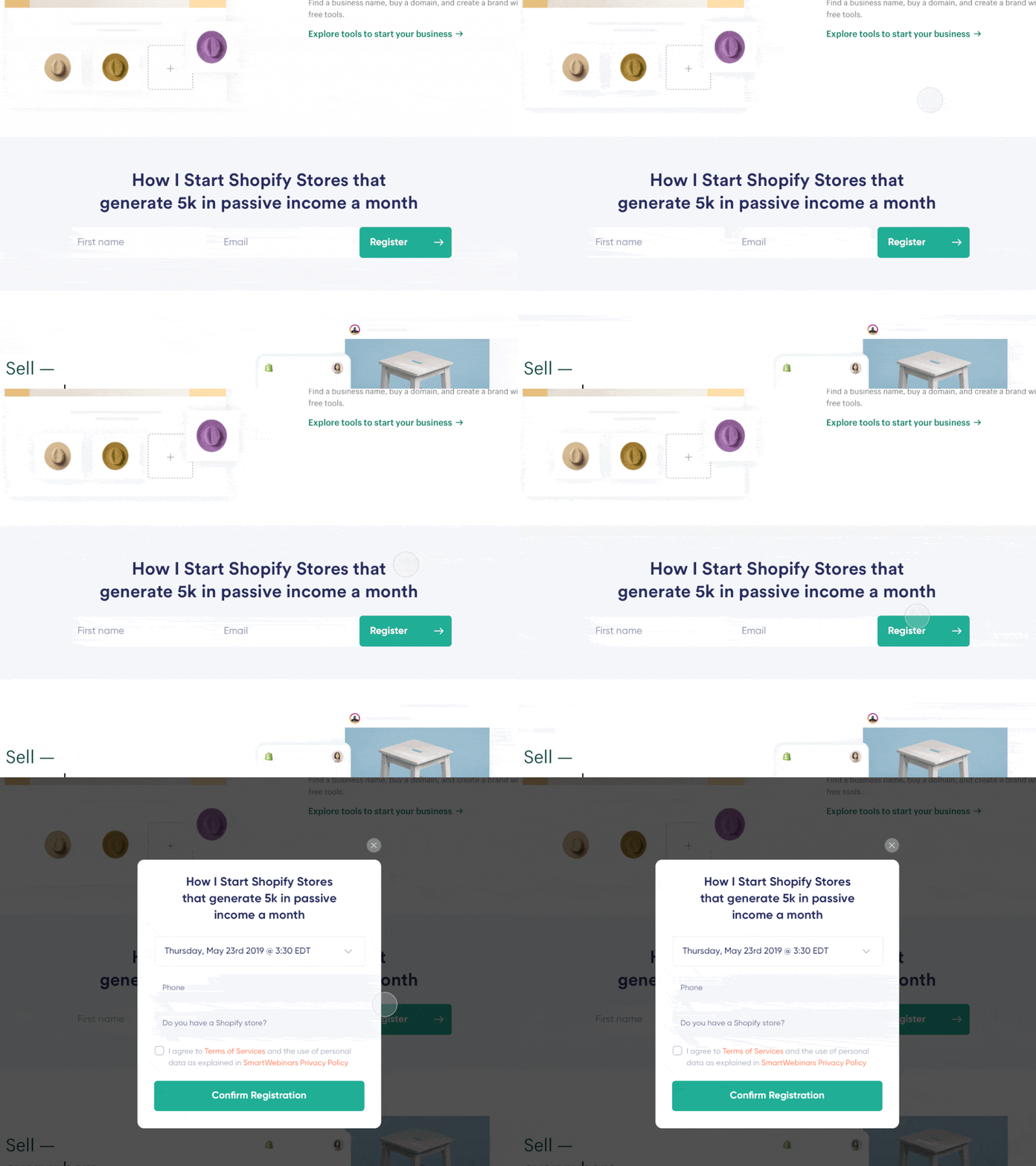
Change anything you want and customize your webinar registration. Our registration widget offers buttons, floaters, bars and more!

- Additionally you can easily select the "2 step" registration to easily capture and email address before a user completes their registration!
- Capture leads and increase sign-up by stepping the registrant through with micro steps
- Choose from our Floating widget or the Button widget
- Customize your registration widgets in every way imaginable
- Create survey's or any other custom fields during the registration process
- Split test to find the best converting widget!

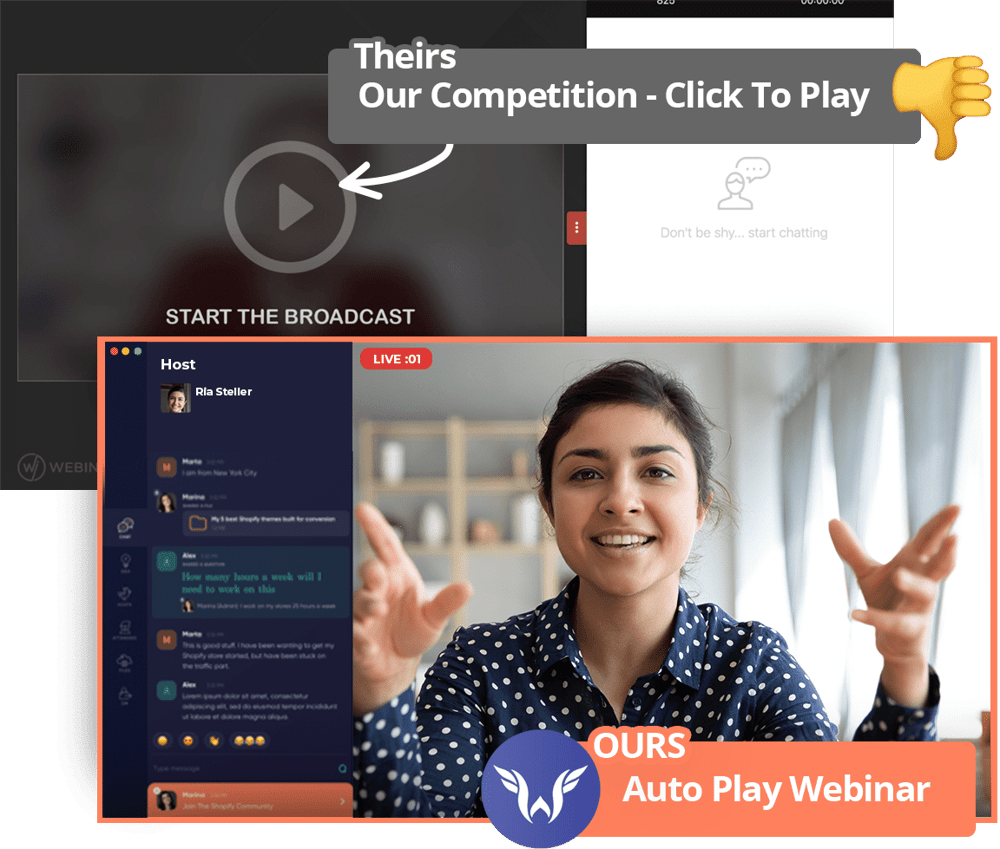
#4: Your Webinars Actually Auto-Play
No playback in standard ever changing web-browsers means we control the entire user experience. Instead of attendee's having to click the "play" button to start a webinar like our competitors, your events will simply begin on time, every time - no click necessary.
- Better user experience, stick-through rate and watch time
- The truly "LIVE" feeling results in more sales and conversions!
#5: Live Chat Simulation + Filters
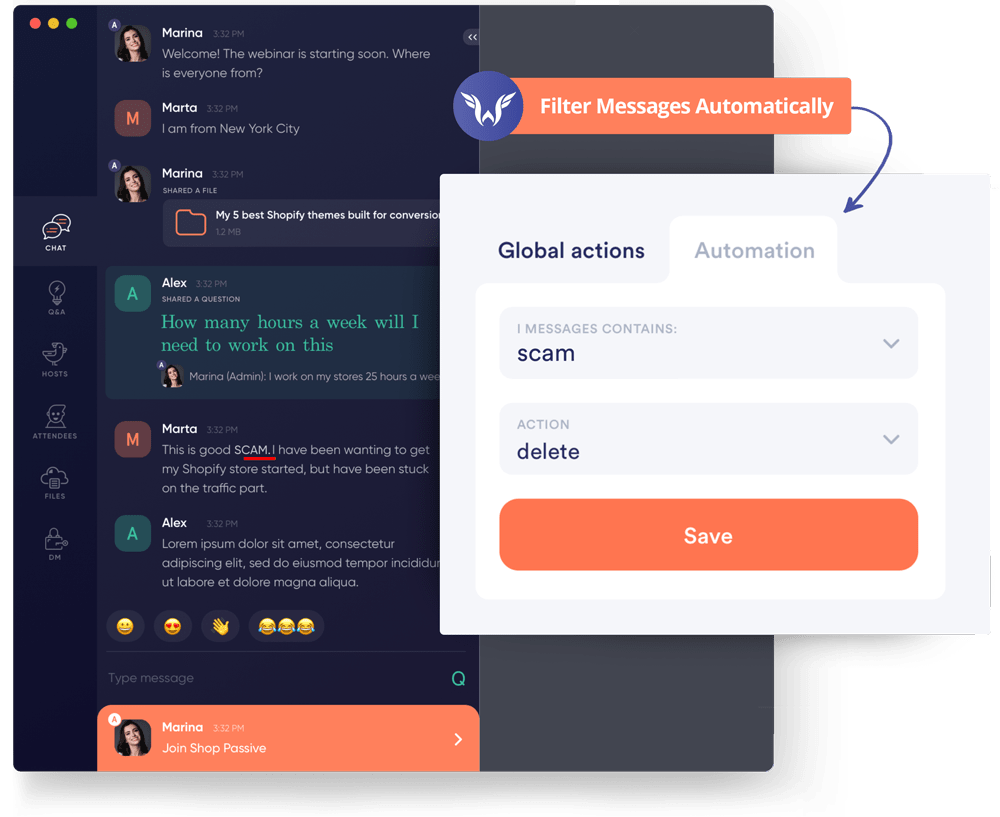
WebinarFuel offers the most robust live chat simulation on the market. Our proprietary "filters" allow you to easily set keywords so our software can filter out any comments you'd like. As attendee's continue to chat our system will save that to the database and add it to the simulator for future events.
- Live chat makes your event seem alive, gives it energy and ultimately can lead to increased conversions!
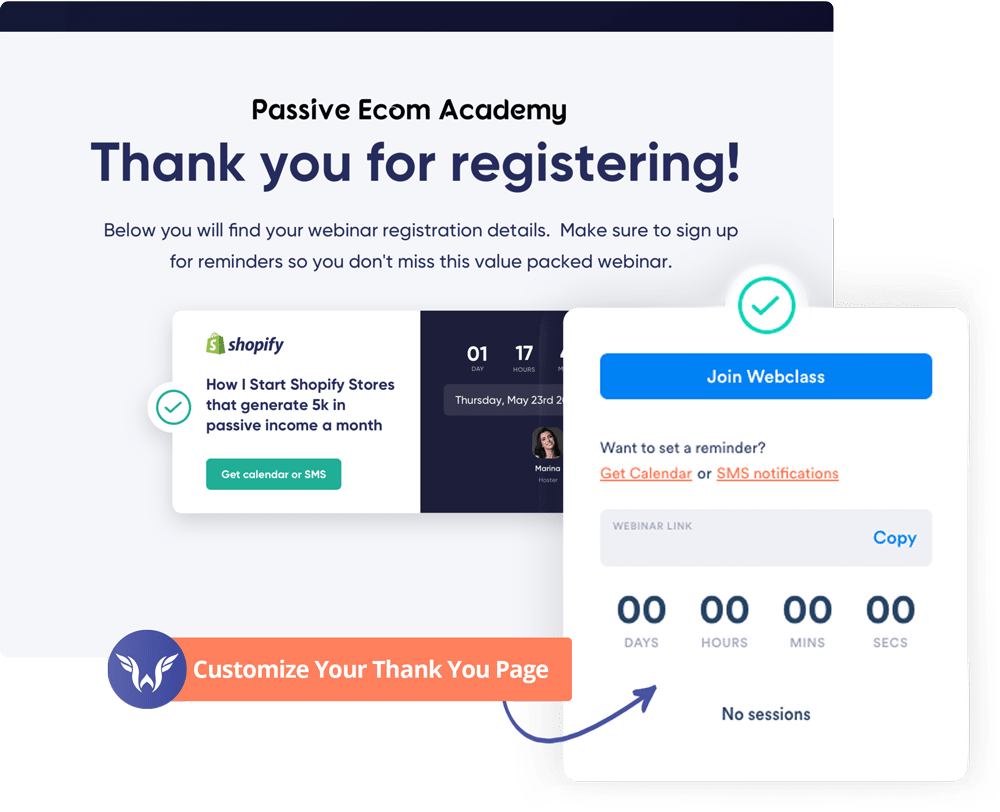
#6: Control Your Thank You Pages
With the release of our "thank you page widgets" you now control your own thank you page! No longer are you stuck using those pre-made templates. Additionally you can control which thank you page a person see's based on how long before an event they registered.
- Example: If they register X time before the event send them to my thank you page that makes an offer to them prior to the webinar.
#7: Split-Testing Webinars Made Easy
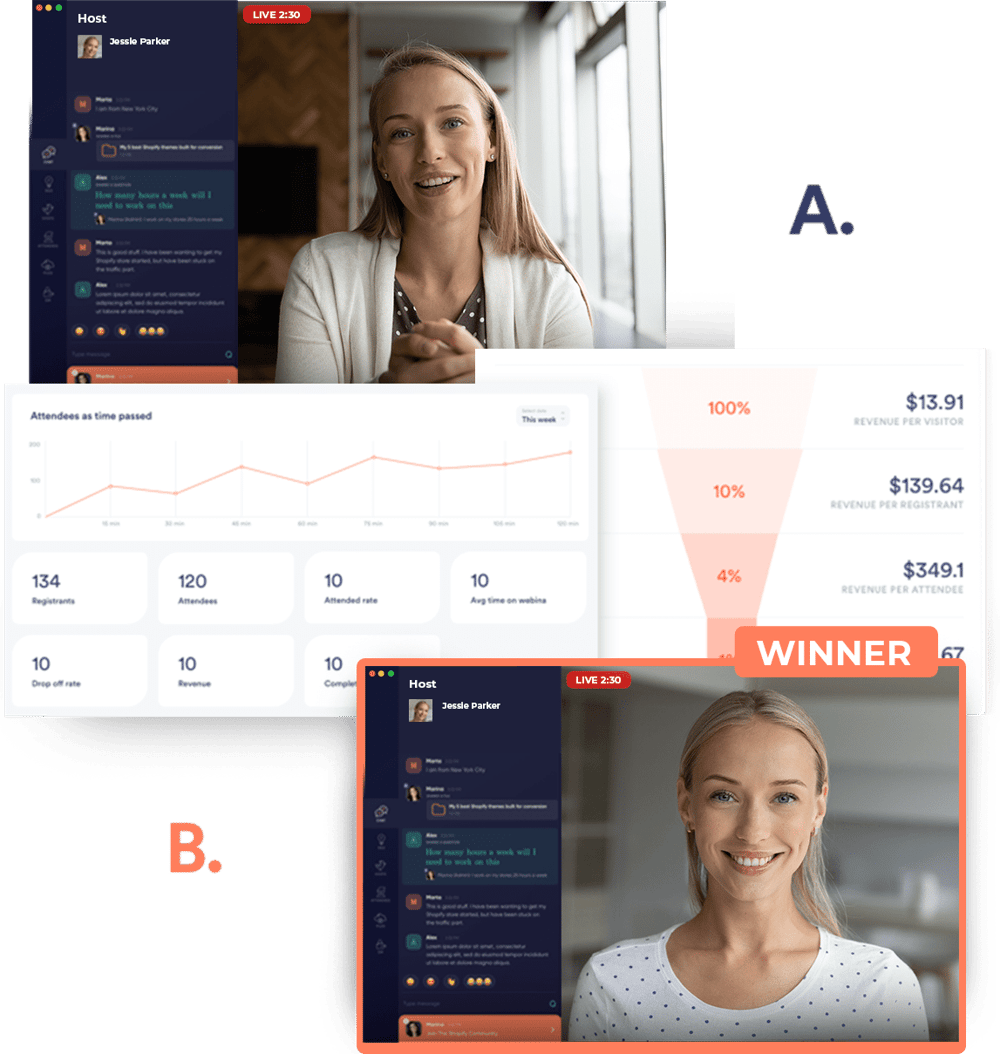
Our "tagging" feature lets you split test webinars without re-creating the entire thing! For example you could add 3 video files to one webinar event, tag each video, set your offer timing for each video and we'll do the rest.
WebinarFuel will deliver a percentage of your audience each video file when they join and then give you analytics for each version of your webinar so you can which one converts the best for your audience.
It's absolutely NEVER been this easy to test your webinars!
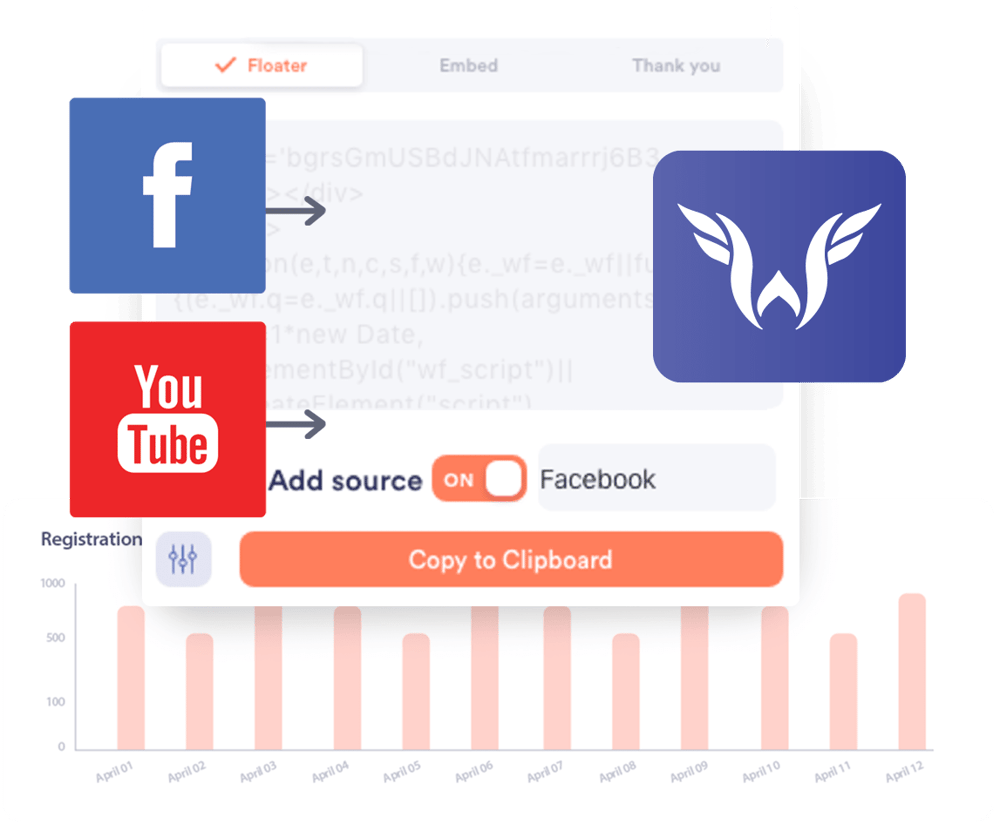
#8: Traffic Source Testing Made Easy
So you plan on running traffic to your webinars from Facebook, Youtube and other traffic sources?
In the past you needed to setup a completely different webinar for each one of these in order to properly track results, but with WebinarFuel our simple "traffic source" and "tagging" options mean you can setup one single event, but get your analytics and stats broken down by traffic source.
- We know it's important..... so we took the time to make this available to you!
#9: Contact Segmentation
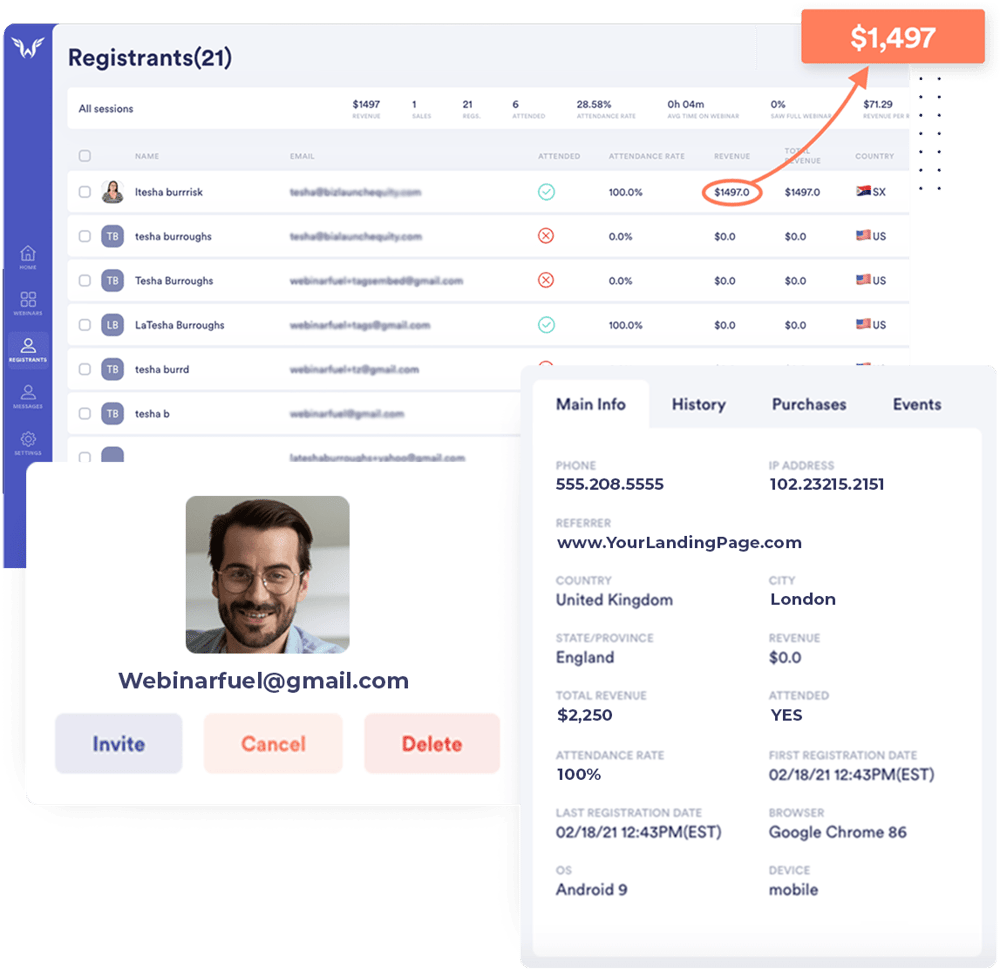
This feature really sets WebinarFuel apart from every other platform on the market.
You can easily view all your contacts, see where they are from, what browsers they use and which webinars they've attended.
With a few clicks you can create audience segments and add them to automations or simply invite them to a new webinar.
Your data is the key to your success so we're making sure you have it all.
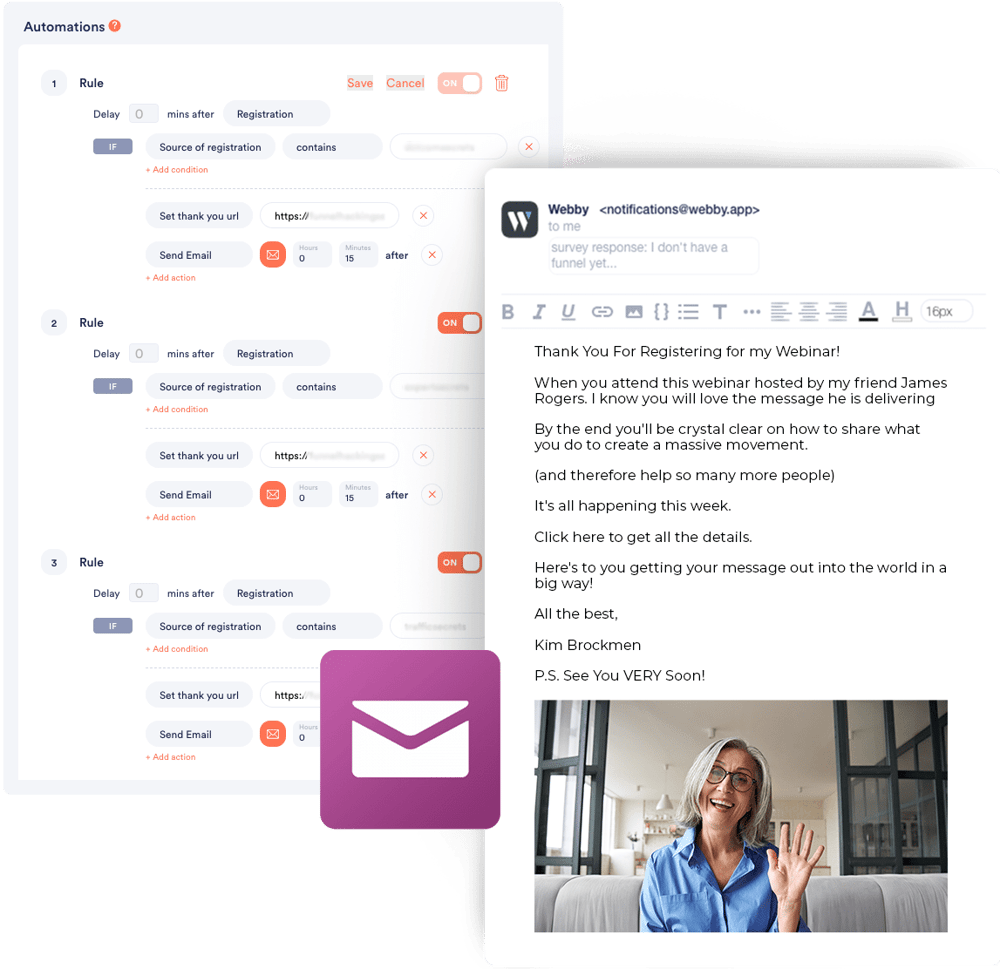
#10: Next Level Automations
WebinarFuel takes automations to the absolute next level. Connect your email provider and create automations that no other software on the market offers.
For example if you have someone input their email address, but not complete registration tell WebinarFuel to send them an email 10 minutes later and a text message 5 minutes after that.
Maybe you have someone stay through the CTA on your webinar, but not purchase? Have WebinarFuel send out a text message telling them to schedule a call or talk with a sales agent.
#11: True Offer Deadline & Closeout Sequence
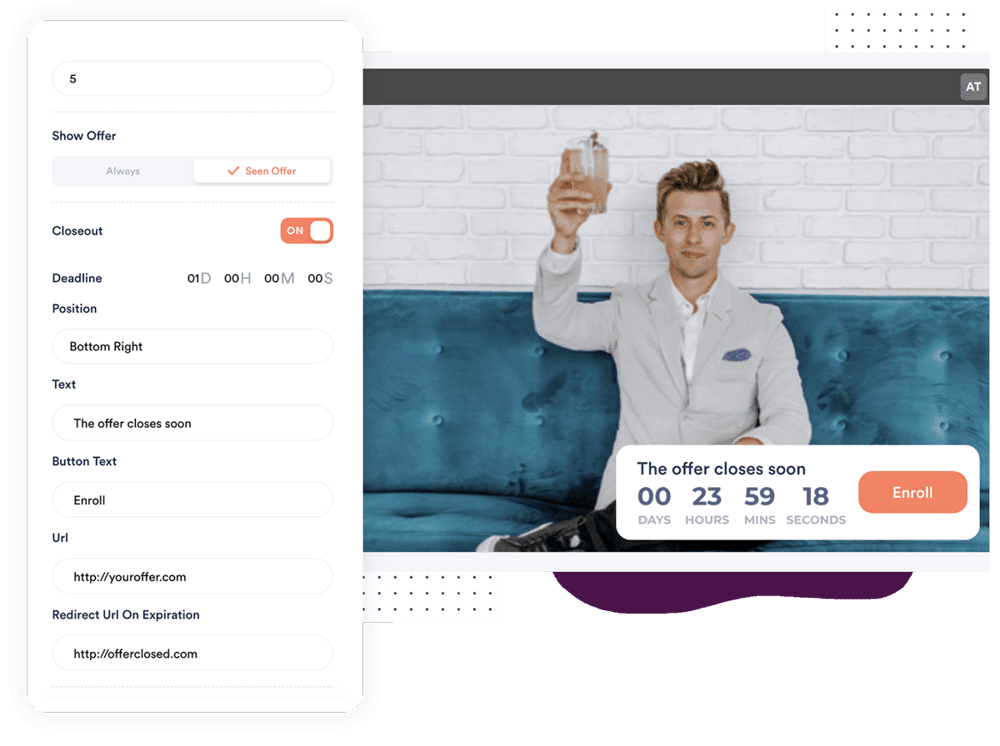
One of the most powerful ways to generate conversions is to make sure you create urgency. We know that CONVERSIONS matter so we're always looking to let you pull every single lever to create higher conversion rates on your webinars. We introduced "deadlines" which let you select how long you want the offer to be available to someone after the webinar they attend.
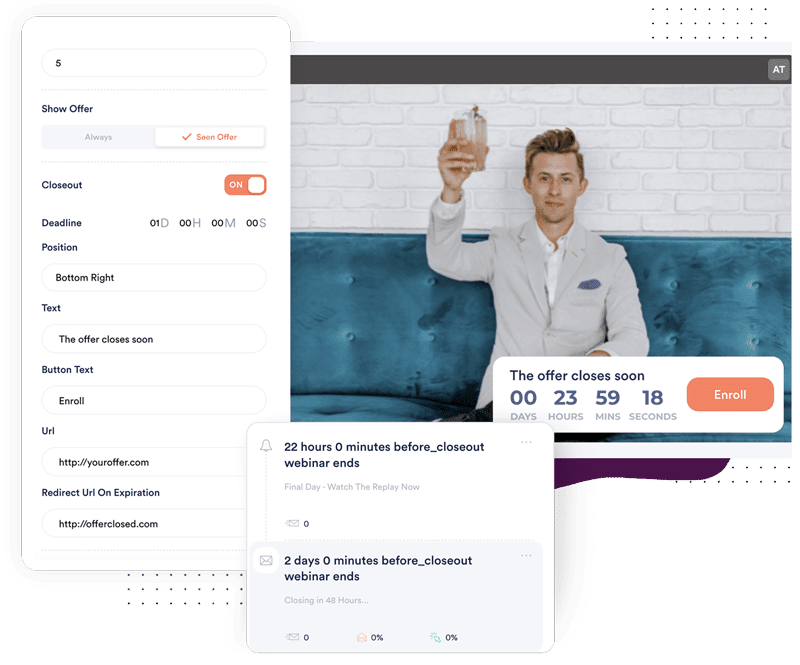
- What's better than just creating a deadline? It's being able to create a TRUE closeout email sequence to let your registrants know when the offer is closing. Our notifications have a "before closeout" setting that let you send emails, sms and push notifications along with embedded countdown timers at specific moments before the offer closes.
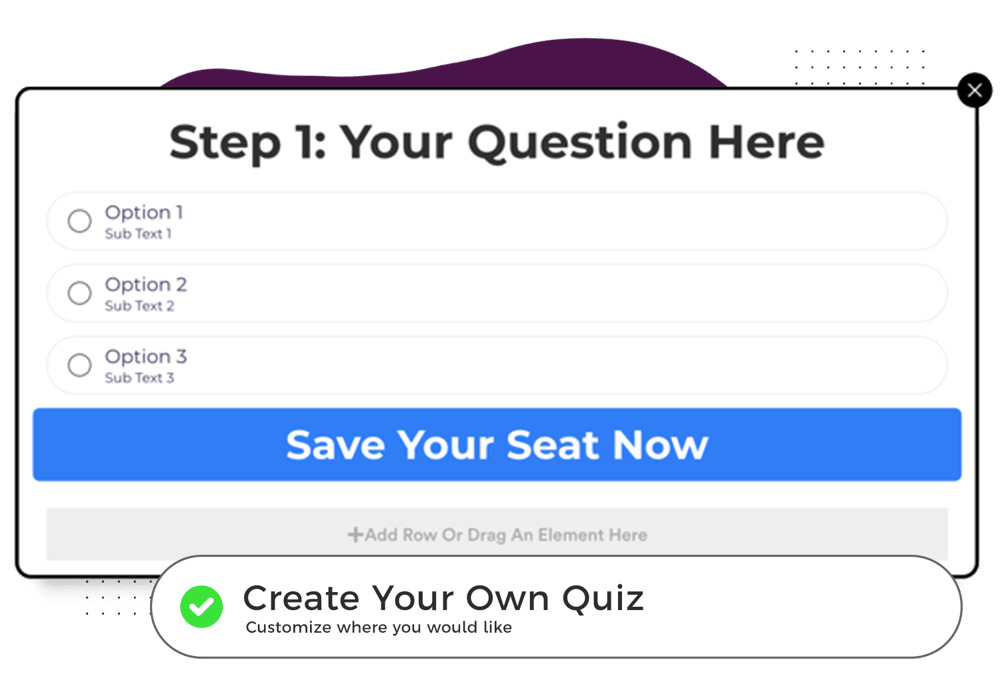
#12: Quiz Then Customize Your Playback Video
One of the most powerful ways to create conversions is to make sure the person watching your webinar actually sees and hears THEMSELVES in your presentation. Our new registration widgets allow you to integrate a quiz in the registration process and then customize which version (video) of your webinar plays back based on the answer to the quiz.
- Nobody else offers this level of customization specifically to increase conversions!
#13: Split Test Schedules
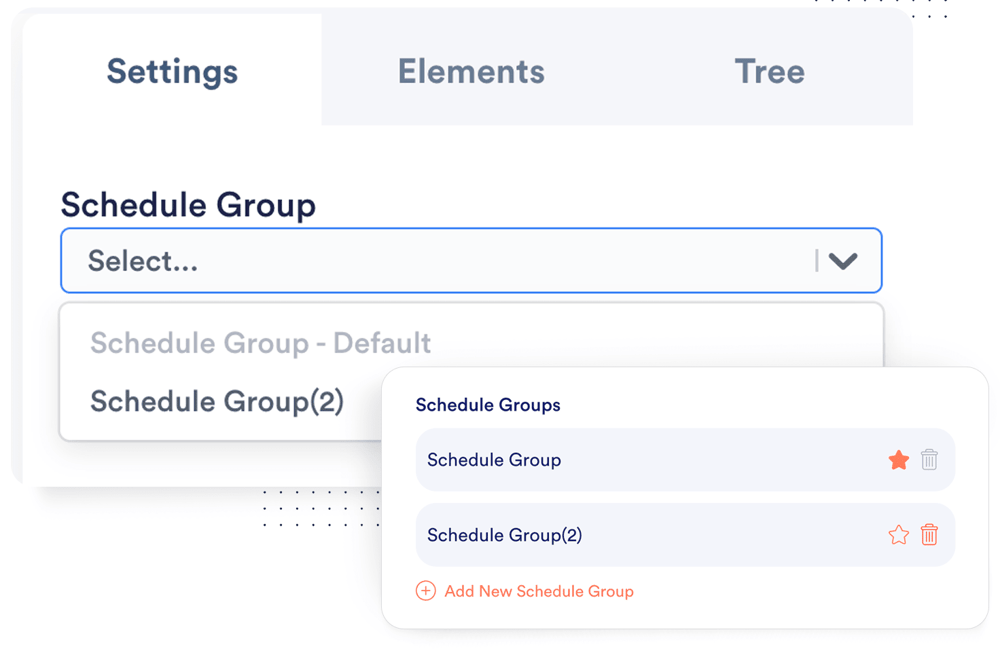
One of the biggest questions we get asked is what schedule converts the best? The answer to that is we don't know! Every audience and offer are different, but knowing WHEN to offer your webinar events really is crucial to increasing your conversions.
- So we built schedule split testing, which allows you to create multiple schedule groups (groups of times your webinar takes place) and quickly split test them, see the stats and determine which group of event times is going to get you the best conversion rate!
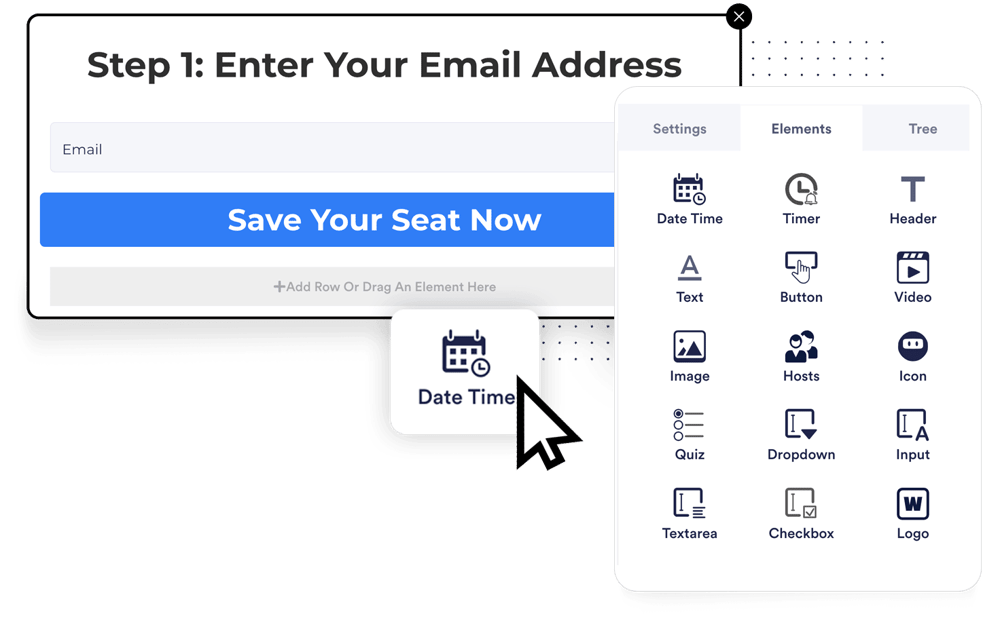
#14: Customize Your Widgets
Your registration widget can have almost anything you want in it. You can add a countdown timer, video, images and many other elements with our simple drag and drop editor.
- The registration widget is where the the customers journey starts so we provide you with every opportunity to customize the registration so you convert more viewers into registrants!
#15: Powerful Notification Filter
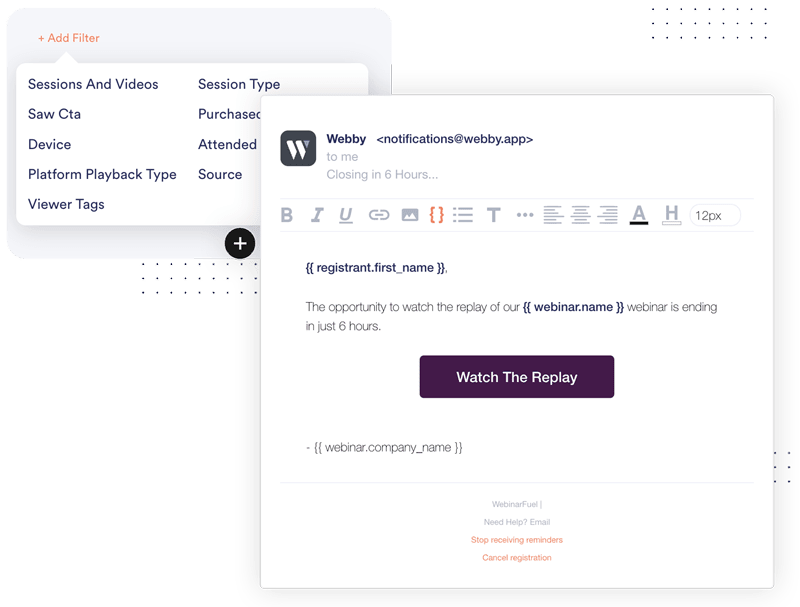
How do you generate more conversions in an automated webinar? Simple! You talk to people at the right time with the laser targeted message. Our powerful notification filters allow you to create as many SMS, Email and Push notifications as you want and laser target one one to specific people based on dynamic filters.
- Send the people that saw your CTA a different message than those who missed it.
- Send people that stayed on your webinar X amount of time a specific message
- Send people that viewed on different device types a specific message
- Plus many more dynamic options!
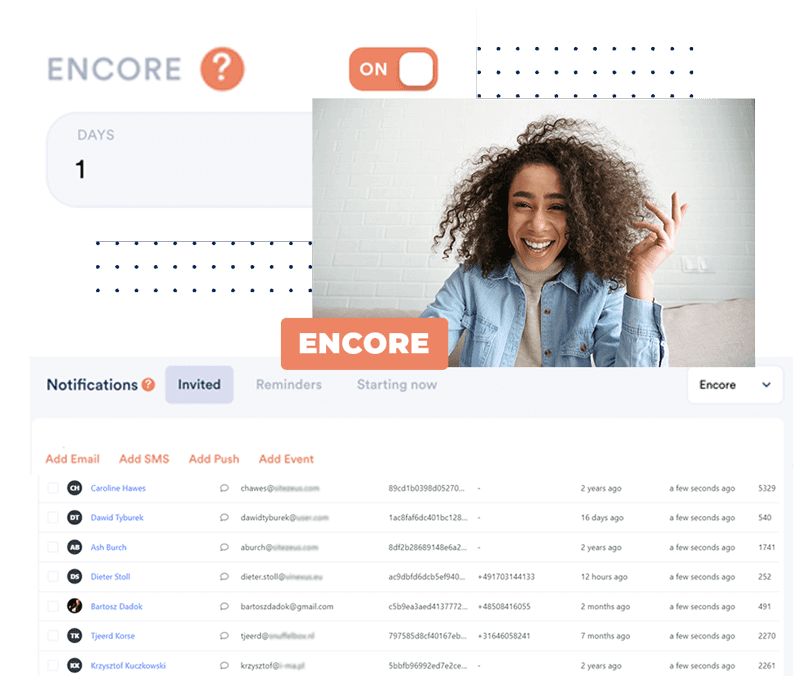
#16: Encore Sessions
ENCORE events add an extra opportunity for people to watch your webinar who may have missed out on your live event (and an extra opportunity for them to hear your offer, and BUY your product or program). You can do the full webinar promo, start to finish - from a LIVE session, to an ENCORE, to the REPLAY, to a CLOSEOUT - all through WebinarFuel!
- Give people a 2nd chance to watch your webinar who would have otherwise MISSED OUT.
- Generate EXTRA sales by repeating the webinar you ALREADY did…without having to go LIVE again!)
#17: Pre-Webinar Sales Tracking
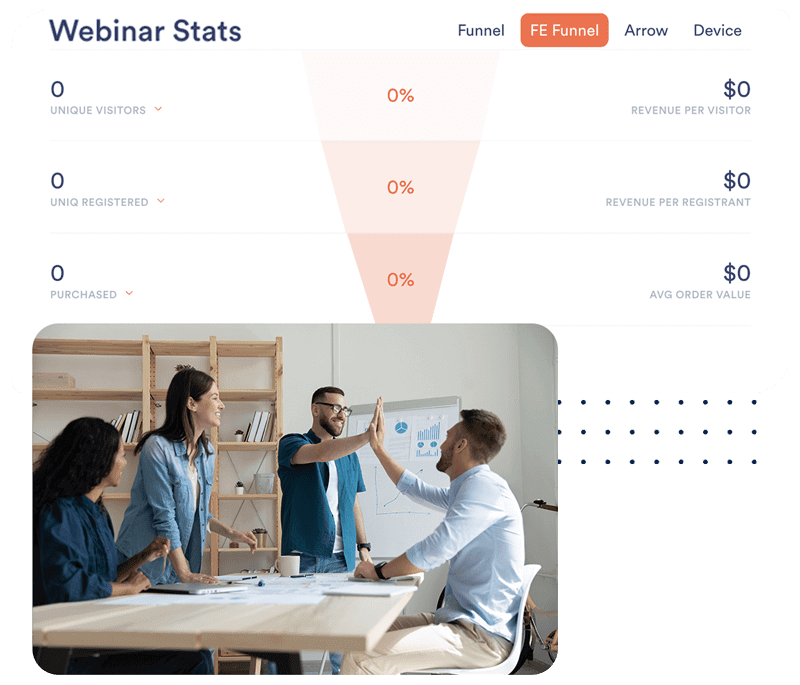
You can generate sales (and track them on your Thank You page) before your webinar event even happens! It’s important to KNOW (not guess) whether or not your pre-webinar offers are performing efficiently. The more sales you can generate immediately after registration, the more it will offset your advertising costs, and allow your webinar sales to be pure profit. Advanced tracking on the Thank You page allows you to understand what your registrants want, (or don’t want)…and you can tweak your offers based on that information.
- Offset your advertising costs - so that your webinar offer is pure profit!
- Understand what your audience wants, based on what they’re BUYING - before your webinar event!
And... Even More Reasons Why
You NEED Webinar Fuel
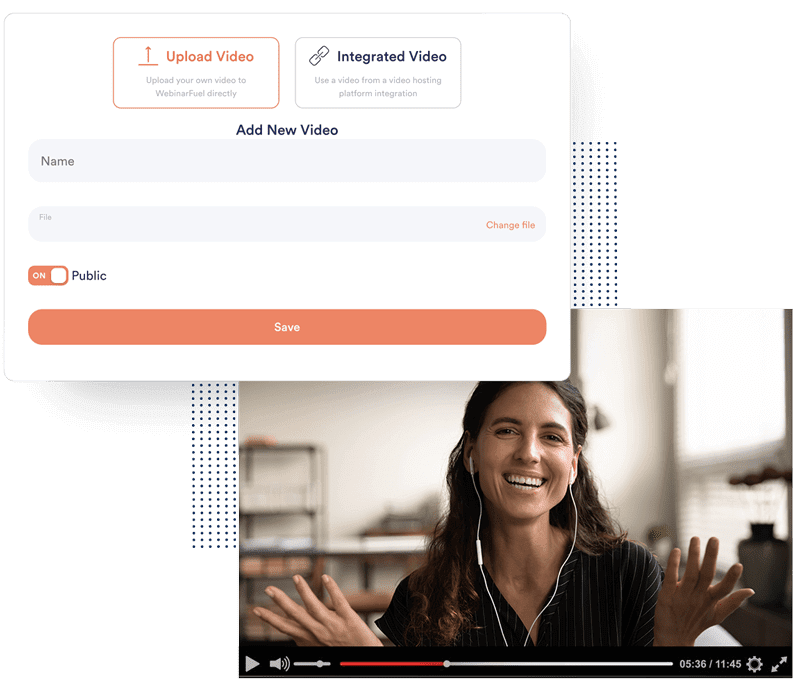
Host Your Own Videos
You can save you a ton of money, because you no longer have to depend or rely on 3rd party video hosting services. Other hosting sites, like Vimeo or Wistia, charge a monthly or yearly subscription to have access to their hosting service. With WebinarFuel, this hosting service is pre-built into the software! That means, you can STOP paying unnecessary fees each month, because WebinarFuel handles it for you!
- You can get RID of your video-hosting accounts!
- STOP paying unnecessary hosting fees each month!
Email, SMS & Push Notifications
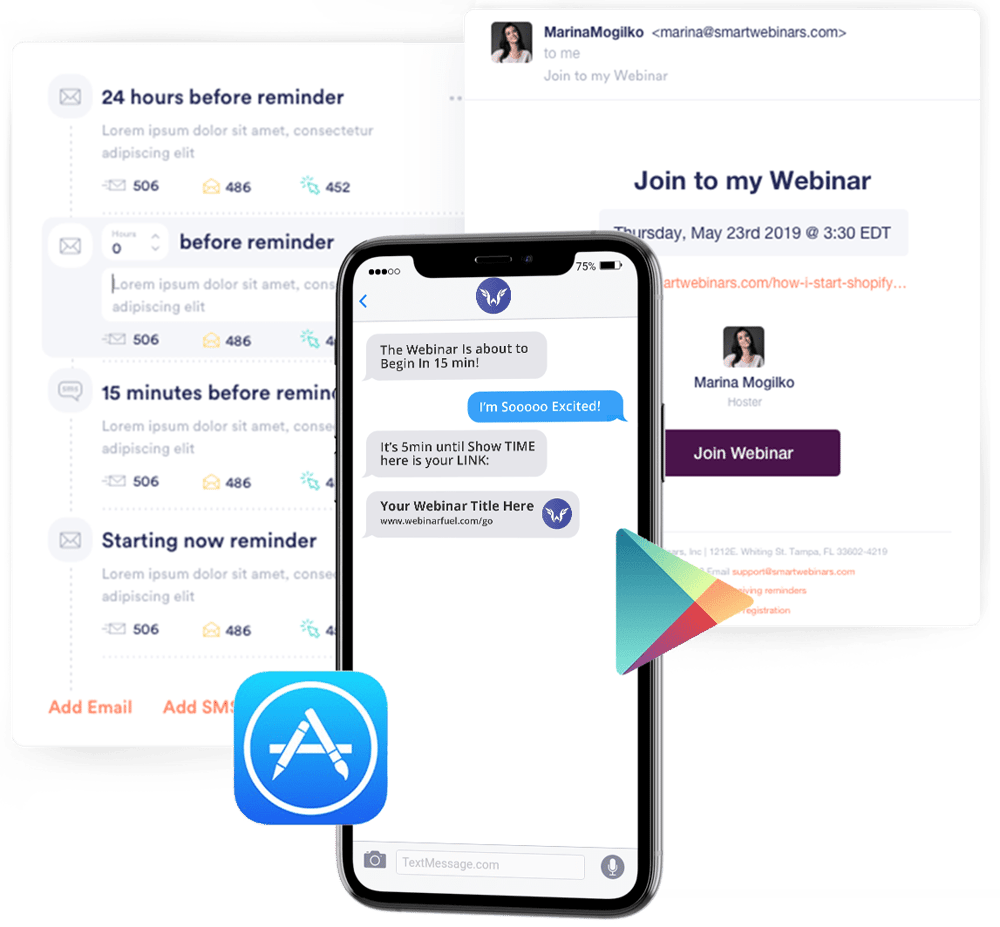
It's important to remind people to attend your events.
We've setup a complete followup system that's plug and play designed to give you one of the best followup sequences possible using email, text messaging and even push notifications!
It's all integrated so don't worry!
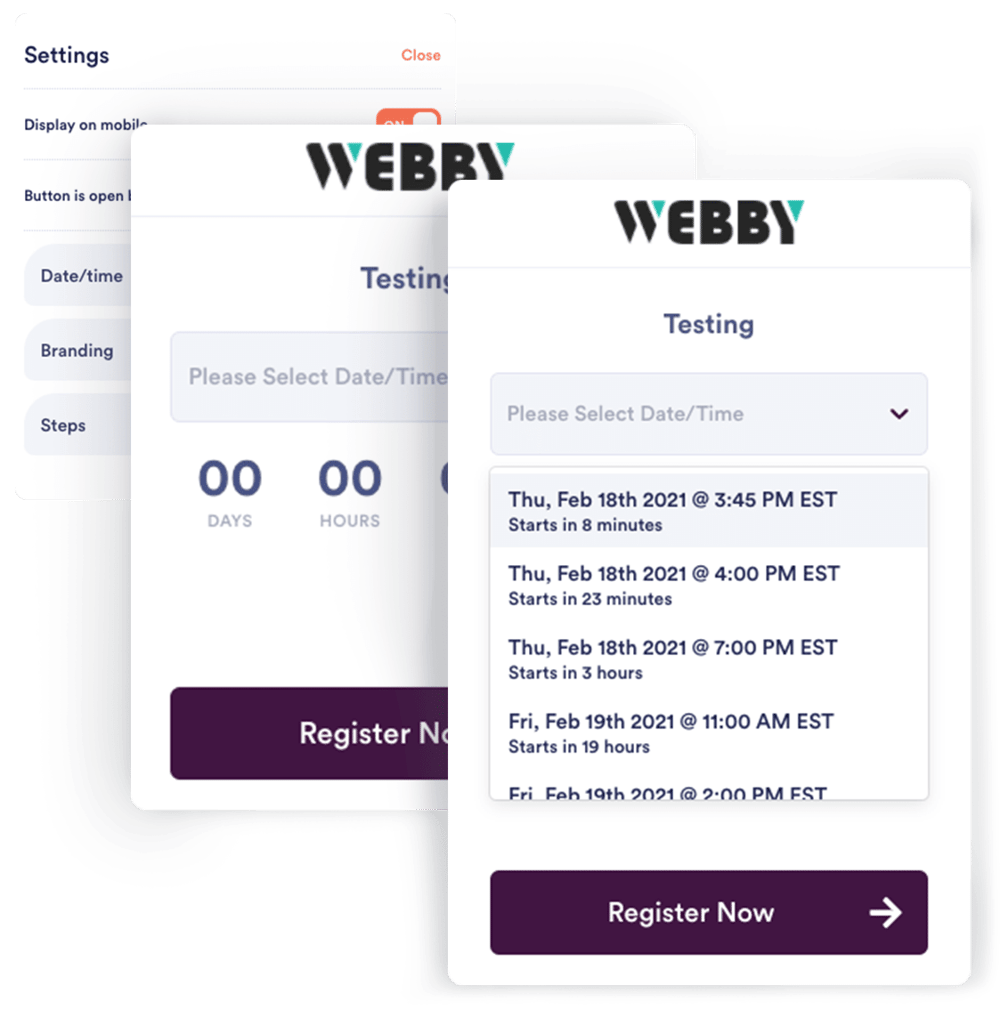
Just-In-Time + In Progress Events
You can set your events to run dynamically so that users are always able to register within minutes of an upcoming event. A new setting we've launched is our in progress events.
- Users can join an in progress event and you get to set the starting point of your video so they don't miss anything important.
Real-Time Support Chat
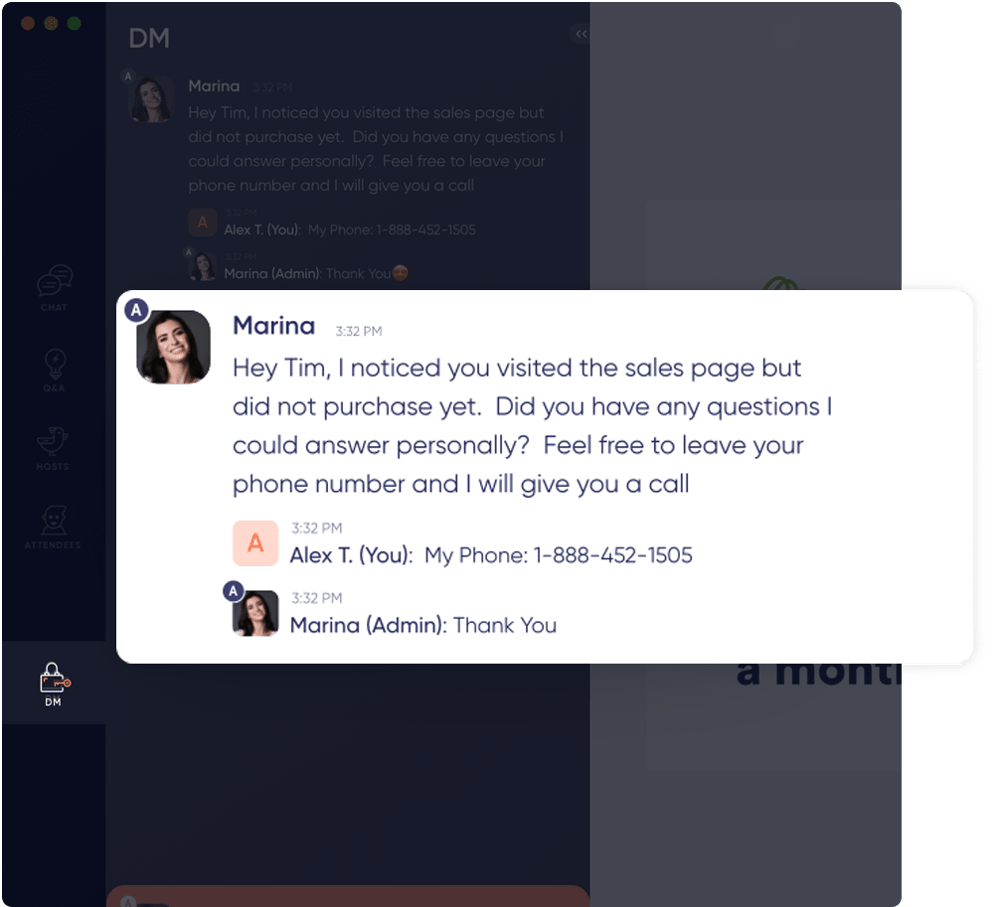
Sure your webinars are automated, but that doesn't mean you can't have live chat!
With our "direct messaging center" you or someone on your team can be on live and answer chat questions as they come in from attendees. We've built a unique "Direct Message" tab that always activates one agents send a message to an attendee.
- Super simple, and very effective for conversions!
- Easily send any attendee a DM or direct message to help them with any questions or purchases.
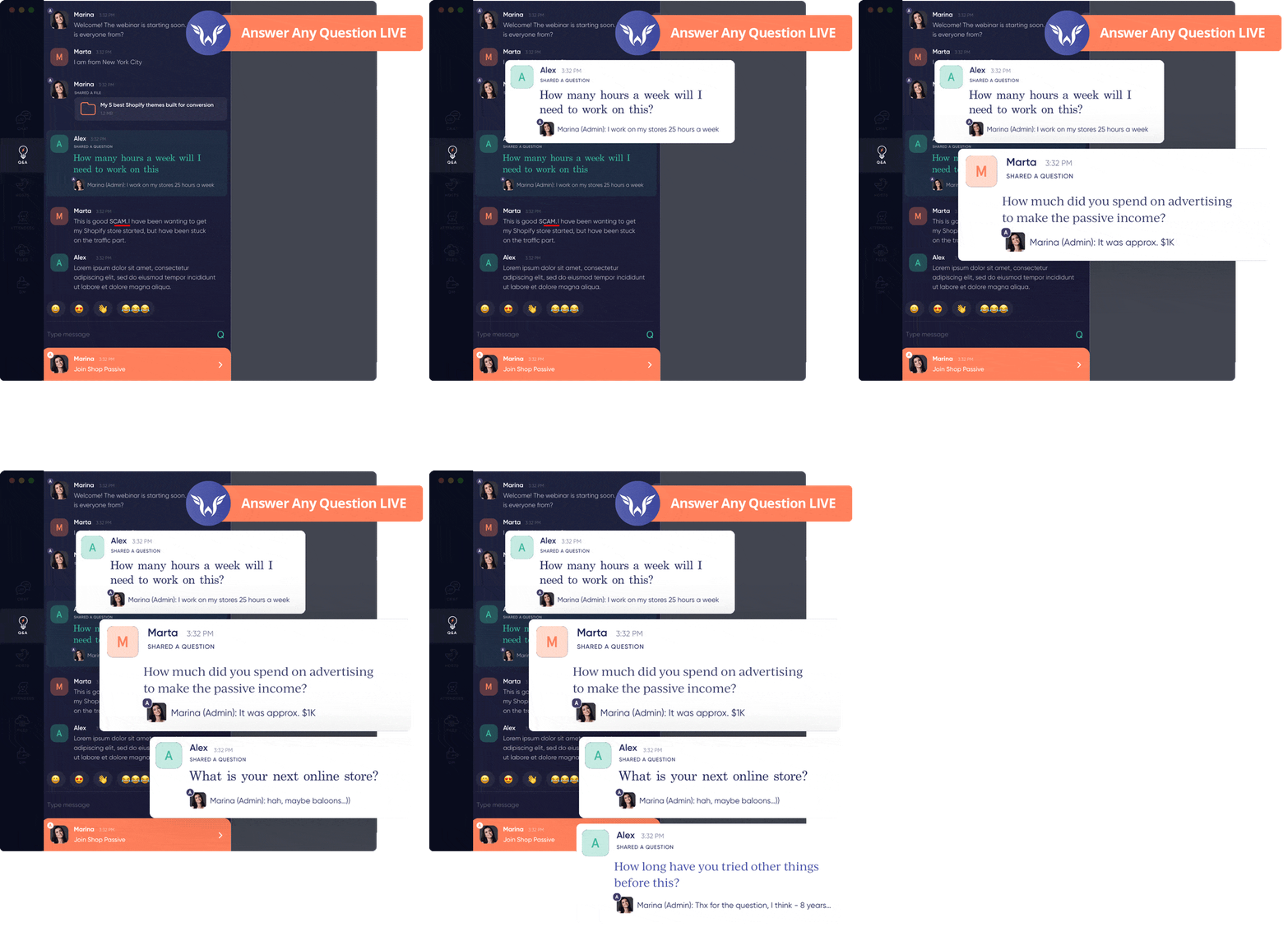
Questions & Answers
WebinarFuel offers a unique Q&A tab inside the user experience software. This allows you to add commonly asked questions to the event so that when the time is right attendee's can see them.
- One of the easiest ways to increase conversions in an automated webinar setting is to simply make sure questions are answered.
Automated Offers
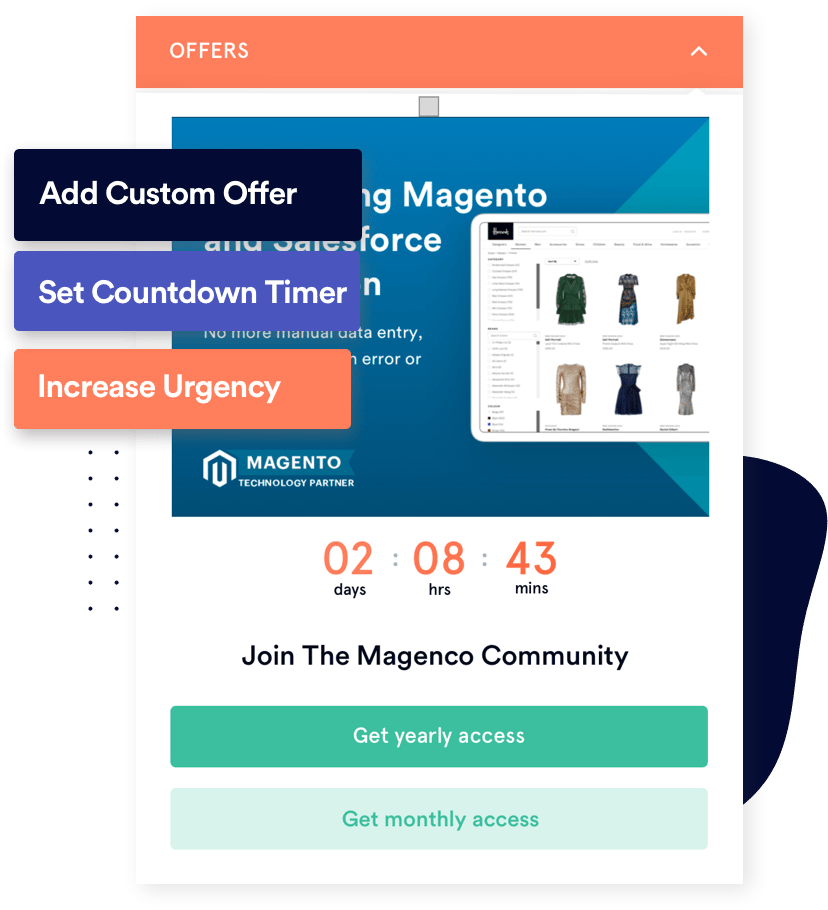
With WebinarFuel making an offer to your audience is super simple! Our software was designed to place your offer in the perfect spot for higher conversions. You can control how long the offer shows, input a count down time, offer scarcity and more!
- Choose what time the offer will appear
- Add your offer images and text
- Add urgency to increase conversions by using our built in countdown timers
Polls & Surveys
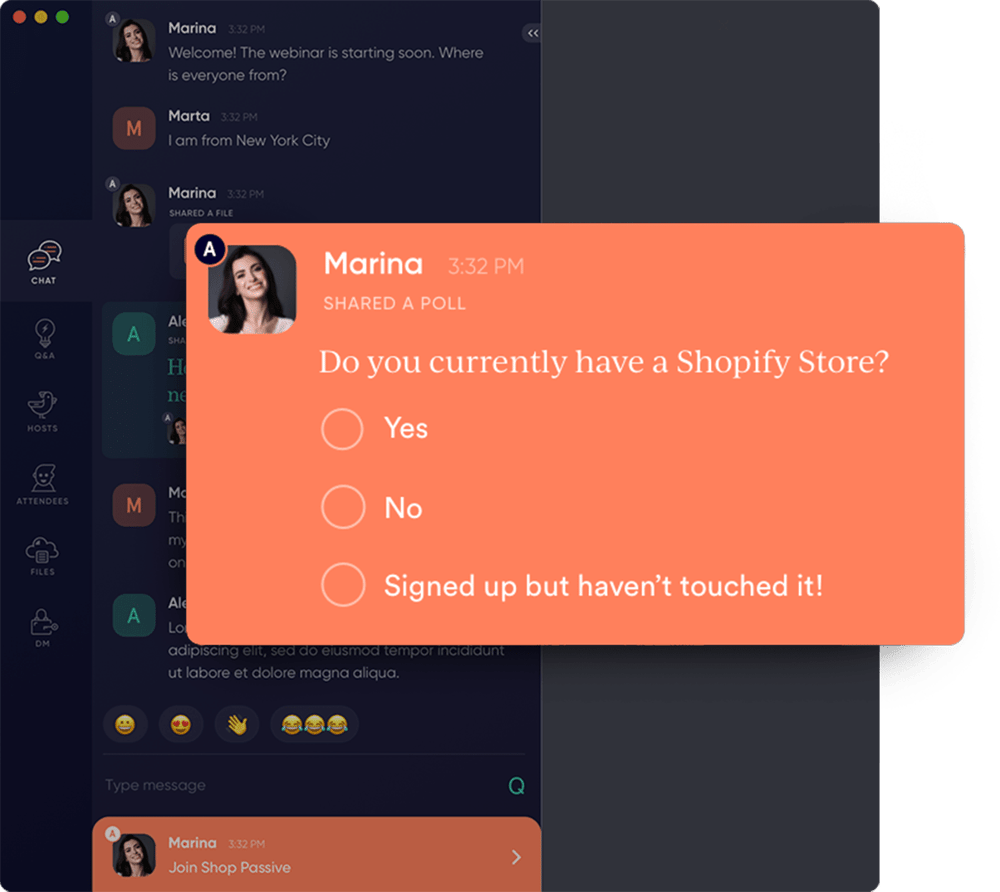
Polls and surveys are a great way to get more information from the people attending your event. Information is the key to optimization and conversions so we've made it super simple to launch polls and surveys within your automated events.
- Gather valuable data from your attendees
Flexible Scheduling
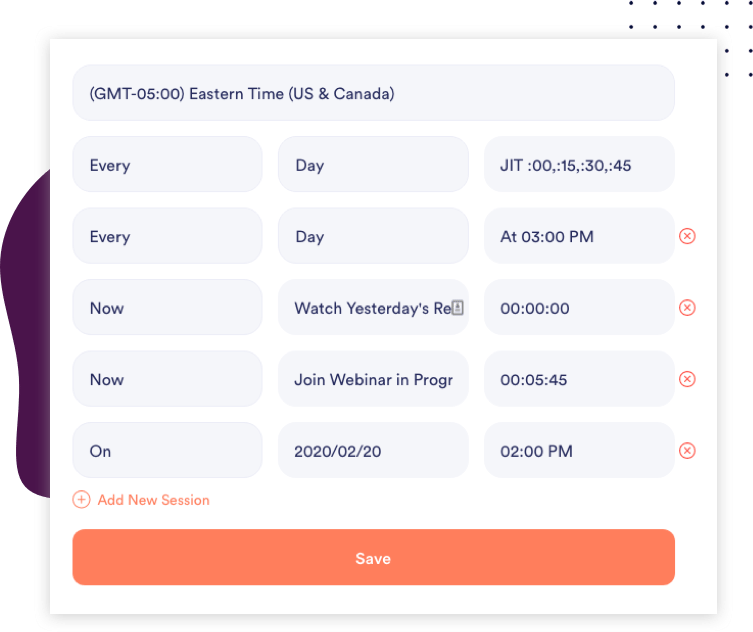
Our system lets you choose any combination of dates and times to run your events. Select blackout dates and times to simulate live experiences and more!
- Allow attendees to pick the perfect time that fits their schedule
- Easily create "In Progress" webinars and choose the timestamp of your video the users will enter at so it truly feels in progress.
- Provide instant access to "Yesterday's Replay"
- Create the perfect schedule to optimize your conversions!
3rd Party Tracking
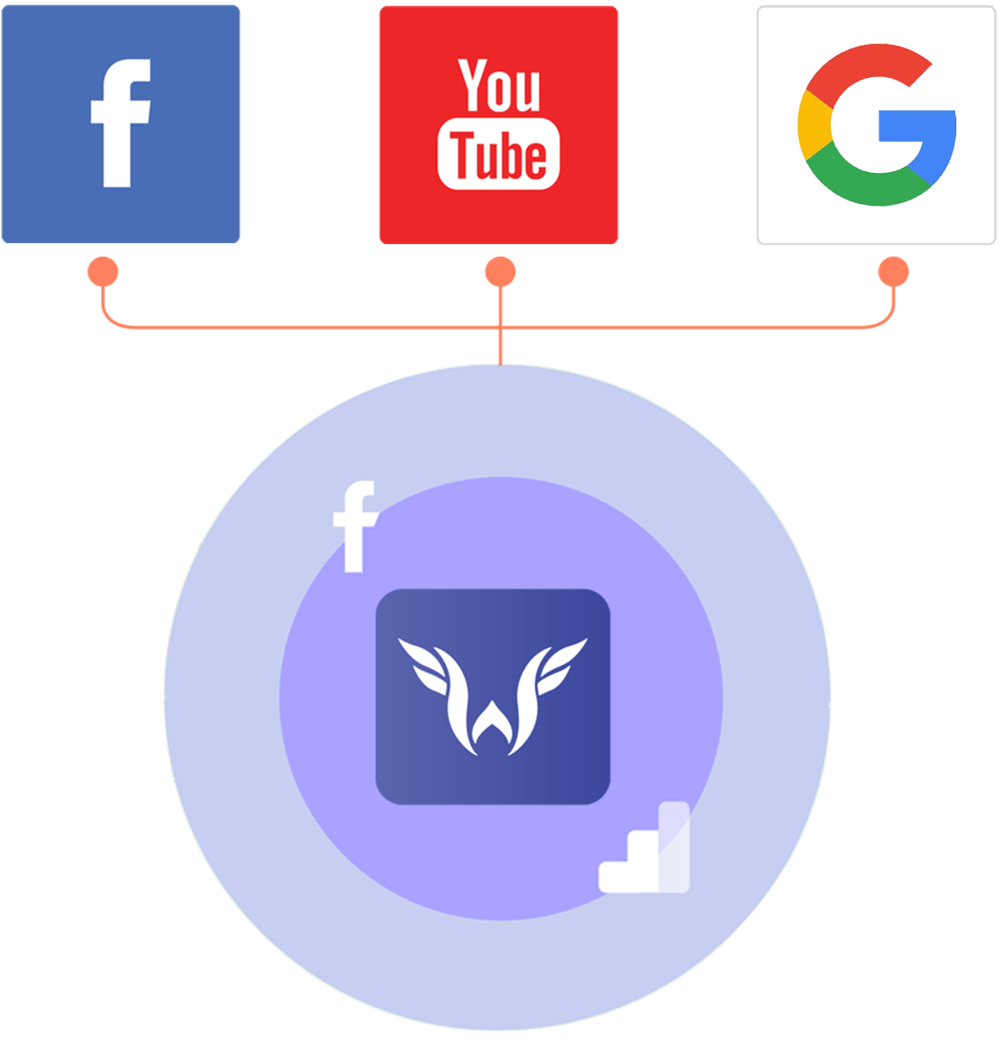
Looking to add your Facebook Pixel, Google Analytics or other 3rd party tracking code to your webinars? It's simple to copy and paste right into WebinarFuel so your tracking stays on point!
- Track everything and know what's working
Integrates With Your Favorite Tools
Advanced Integrations
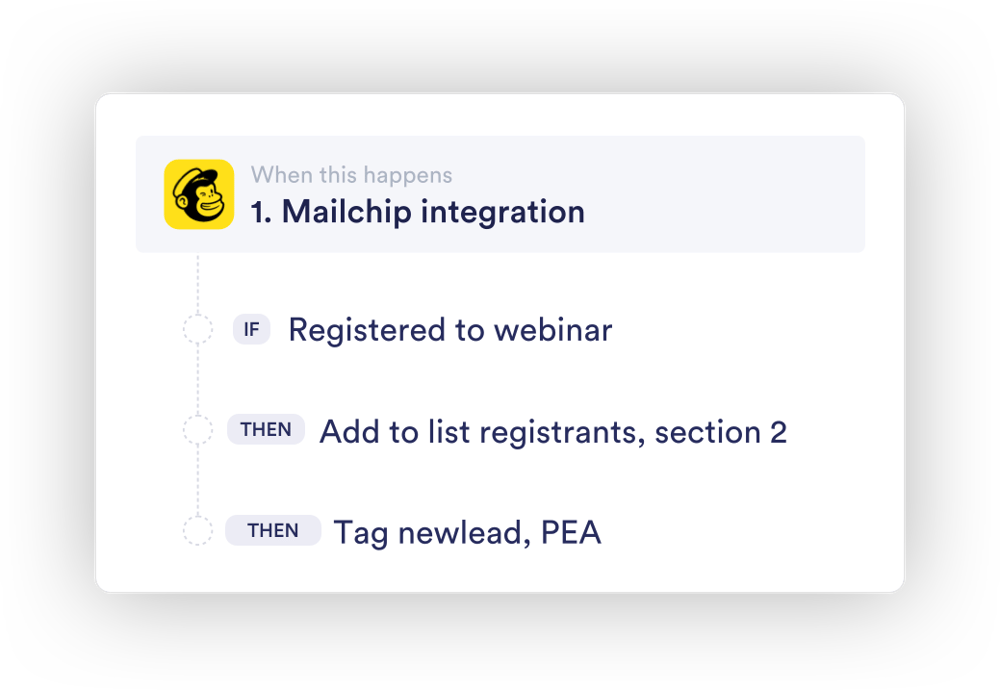
It's super simple to integrate WebinarFuel with most all of the top CRM and and autoresponder software on the market.
We've made it easy to use the api and simple "if/then" logic to move your contacts based on their activity within your events.
Add to certain list, apply certain tags all based on what actions your attendee's have taken!







Frequently Asked Questions
If your business is selling online then webinars can be key to growth and higher conversions. WebinarFuel can be used for sales presentations or just online educational presentations.
Absolutely! We have a full library of videos showing you how to use the software to setup and optimize your events.
It's helpful, but not 100% necessary. We have a full support team to help you get your webinar events live and online.
Yes in order to host an event with us your video will have to be on Vimeo or Sprout. Youtube does not support embedded streaming into platforms any longer so it is not an option that would work.
Yes, we have a full API that you can use along with documentation.
Simply put we are the only automated webinar software that plays your webinars back "in software". If you have registrants attend on a desktop they download the desktop software, and if they attend on mobile we have an iOS and Android store approved app they download. This lets you control the experience your attendees have and makes sure your webinars actually autoplay with sound. All our competitors play "in browser", which means attendees have to click the play button, which hardly feels like a live webinar.
